
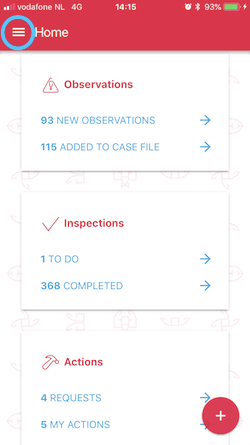
To check your current version, open the Capptions app and tap on the hamburger menu (see image below)
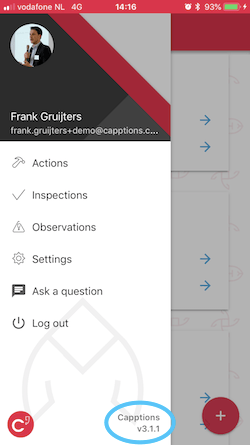
The navigation menu slides open and you can view the app version is visible in the bottom right corner (see image below)
Was this article helpful?
YesNo
Related articles
- Logging into the App
- Start a Capption : App
- How do I know if my media is uploaded correctly?
- How to download the Capptions app?
- Overview of unanswered questions